Shadows for cardboard characters
One shadow map for the sun, sprite casters that turn to face the light, and a lookup trick so a sprite is never darkened by its own shadow.
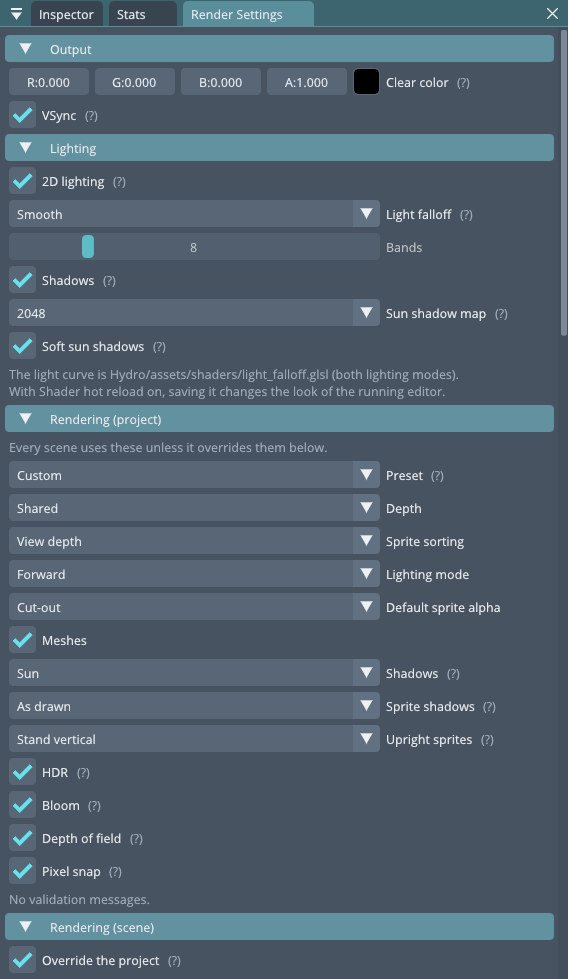
Once sprites stood up in 3D, they needed shadows. In games that mix 2D and 3D, flat characters casting convincing shadows on the 3D world does a lot to make the scene feel solid. Hydro now does the same with a single shadow map for the sun.
One map, no cascades
Big open worlds split the view into cascades of shadow maps. A diorama doesn't need that: the visible area is small. So there is one depth map, 1024 to 4096 texels square, seen by an orthographic camera looking along the sunlight at the point the main camera looks at.
- The light's camera starts 60 metres further towards the sun, so objects just outside the view still cast into it.
- Its projection is snapped to whole texels, so shadow edges don't crawl when the camera moves.
Sprites as casters
Meshes draw into the map as usual. Cut-out sprites draw into it too, alpha-tested at 0.5 like on screen. The question is which way the card faces. There are two modes:
- As drawn: the camera-facing quad casts. Cheap, but a sun from the side turns the shadow into a thin line.
- Face the sun: a copy of the quad stands up on the sprite's feet and turns to face the sun. The shadow always has the character's full silhouette. The copy turns the way that's closer to the camera's view, so the sprite's left side casts on the left.
Not shadowing yourself
The tricky part is receiving. If a sprite looks up the shadow map at its own position, it finds its own caster card there and darkens itself.
The fix: each sprite vertex carries a separate shadow lookup position, the matching point on its own sun-facing caster, pushed a little towards the sun. A sprite is only darkened by something standing between it and the sun, never by itself. Meshes do the same with a small offset along their normal.
Shadows that suit pixel art
- Only the sun's direct light is shadowed. Ambient light and point and spot lights still reach into the shade, so lanterns glow inside a shadow.
- Soft shadows sample 3 × 3, but there is also a hard mode: one sample per texel, giving crisp stepped edges that sit better next to pixel art.
- Strength, distance and bias are set per light, and the stats window shows the shadow pass's GPU time.